
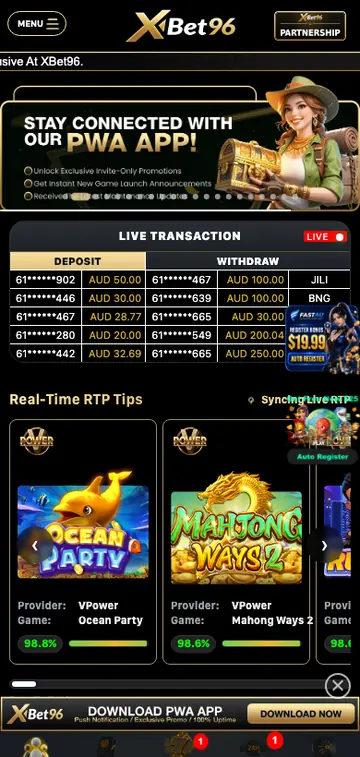
Play XBet96 on mobile
The XBet96 mobile experience runs as a Progressive Web App. It opens from a home-screen icon, uses the full browser platform and keeps the same account across phone, tablet and desktop.
How to install the XBet96 app
Install on Android
- Open XBet96 in Chrome.Use the current version of the browser.
- Open the browser menu.Tap the three-dot icon in the top corner.
- Select Install app.You may also see Add to Home screen.
- Confirm installation.The XBet96 icon will appear with your other apps.
Add XBet96 on iPhone
- Open XBet96 in Safari.The home-screen option is available from Safari.
- Tap the Share icon.Scroll through the actions in the share menu.
- Choose Add to Home Screen.Check the XBet96 name and icon.
- Tap Add.Launch XBet96 from the new home-screen icon.
XBet96 app features
- Responsive pokies lobby with touch-friendly game cards.
- Access to the same bonuses and VIP progress as desktop.
- Fast home-screen launch without opening browser bookmarks.
- Account settings, transaction history and support in one place.
PWA or APK: what is the difference?
XBet96 promotes a PWA rather than requiring a conventional app-store download. A PWA uses the live website, receives platform updates automatically and takes less setup than manually installing an APK file.
Because it remains connected to the web platform, the PWA normally provides the same games, balances and account details as the mobile browser. Keep the browser and phone software updated for the smoothest experience.
Avoid unofficial APK files shared through messages or unknown download pages. A browser installation prompt reduces the risk of installing altered software.
XBet96 app requirements
You do not need a high-end phone to use the mobile platform, but an up-to-date browser and a reliable internet connection make game loading and account navigation more consistent. The home-screen version stores only the files needed to launch the web experience; games and account data continue to load securely online.
| Android | A recent version of Chrome, Edge or another browser that supports web-app installation |
|---|---|
| iPhone and iPad | A current iOS or iPadOS version with Safari for Add to Home Screen |
| Connection | Stable Wi-Fi, 4G or 5G; live games generally use more data than standard pokies |
| Storage | A small amount for the shortcut and cached interface files; no large APK package is required |
| Account | Your existing XBet96 credentials, or registration details if you are a new user |
If the page displays an unsupported-browser message, update the browser first. Private browsing can also prevent installation or remove saved session data after the tab closes.
Playing pokies in the XBet96 mobile app
The mobile lobby organises games into scrollable categories and places search, favourites and recently played titles within easy reach. Tap a game card once to open its information or launch screen. Before the first paid spin, review the stake, paylines, bonus rules and sound settings.
Portrait and landscape play
Most menus work best in portrait mode, while some pokies and live tables offer a wider layout when the phone is rotated. If a game does not resize, close it, unlock screen rotation and reopen it. Full-screen mode can hide the browser controls, but the game menu should still contain an exit or back button.
Mobile data and loading
Standard pokies usually load faster than streamed live games. On a limited mobile-data plan, use Wi-Fi for longer sessions and avoid repeatedly reloading a game. If animation becomes uneven, close unused browser tabs and lower the game's quality setting where available.
Your balance should update after every completed round. Do not refresh while a spin is still resolving; wait for the result or reopen the game history from the account area if the connection drops.
AUD wallet, deposits and withdrawals on mobile
The PWA uses the same account and Australian-dollar balance as the desktop site. Opening the cashier from the mobile menu should show the available payment methods, minimum and maximum transaction values and any processing information before confirmation.
- Open the account menu.Select Cashier, Deposit or Withdrawal depending on the action you need.
- Choose a payment method.Check that the method supports AUD and that the account holder details match.
- Enter the amount.Review limits, fees and any active promotion before continuing.
- Confirm securely.Complete bank or wallet authentication without sharing a one-time code with another person.
- Check transaction history.A pending, completed or declined status helps determine the next step.
Withdrawal options can depend on verification and the method previously used to deposit. If the cashier asks for documents, upload clear images through the account verification area and wait for the status to update before submitting duplicate requests.
Notifications, permissions and mobile privacy
A home-screen web app may ask permission to send notifications. These can be useful for account messages or opted-in promotions, but they are not required for opening games or checking a balance. You can deny the request initially and change the choice later in the phone's site or notification settings.
- Allow only permissions that have a clear purpose.
- Keep screen lock, biometric access or a strong device passcode enabled.
- Do not save login details on a shared phone.
- Hide notification previews if other people can see the lock screen.
- Sign out before lending, selling or repairing the device.
Clearing browser data can sign you out and remove the home-screen app's cached files, but it does not delete the XBet96 account. Account closure is a separate action handled through account settings or support.
How to update or remove the XBet96 app
The PWA normally checks for the newest interface when it opens, so there is no app-store update button. If an old layout remains visible, close every XBet96 window, reopen the browser and refresh once. Updating the browser and restarting the phone can also replace stale cached files.
Remove from Android
Press and hold the XBet96 icon, select App info or Uninstall, and confirm. Depending on the browser, you can also remove installed web apps from the browser's settings.
Remove from iPhone
Press and hold the home-screen icon, choose Remove App and then Delete Bookmark. This removes the shortcut, not the player account or its transaction records.
Reinstall after removal
Return to the official XBet96 address in Chrome or Safari and repeat the installation steps. Sign in with the existing account rather than registering again. A second account can cause verification or promotion eligibility problems.
Safe XBet96 mobile access
Open the platform from a saved official address and check the domain before entering a password. Search adverts, copied social profiles and direct messages can lead to lookalike pages. Never install an APK sent through chat, and never provide a password, complete card number or authentication code to somebody claiming to be support.
Use a unique password and enable any account security controls offered in settings. If a phone is lost, change the XBet96 password from another trusted device, sign out other sessions if that option is available and contact support about unfamiliar account activity.
Avoid deposits and withdrawals on public Wi-Fi or a borrowed phone. If access is unavoidable, do not save the password, sign out completely and remove browser data afterwards.
XBet96 app not working?
Home-screen icon will not open
Check the internet connection, restart the browser and remove then add the PWA shortcut again. If the website opens normally in a browser tab, the problem is likely the saved shortcut rather than the account.
Games load slowly or show a blank screen
Close unused apps, switch to a stable connection and clear old browser data. Disable content blockers for the site, allow required cookies and try another current browser. Streamed live games may need more memory and bandwidth than standard pokies.
Login session expired
Open the app again and sign in with the same account credentials. Use password recovery if the saved password is no longer accepted. Repeated expiry can be caused by blocked cookies, private browsing or automatic storage cleaning.
Install option is missing
Make sure you are using a supported browser. On iPhone, use Safari and choose Add to Home Screen from the Share menu. On Android, load the main page fully before opening the browser menu.
Balance or game result appears delayed
Do not submit another wager. Reconnect, reopen the account and review game or transaction history. Contact support with the game name, approximate time and transaction reference if the completed result still does not appear.
XBet96 app FAQ
Is there an XBet96 app?
Yes. XBet96 offers a Progressive Web App that can be added to Android and iPhone home screens.
Do I need an XBet96 APK?
No separate APK is needed for the browser-based PWA. Use the installation prompt from the official page instead of downloading software from an unknown source.
Can I use the same account on desktop and mobile?
Yes. Use the same username and password across the desktop site, mobile browser and PWA. Balances and account history belong to the account rather than one device.
Does the XBet96 app support AUD?
Yes. The mobile account area displays balances and account values in Australian dollars.
How do I update the app?
The PWA loads the current web platform automatically. Close and reopen it if an update has not appeared, and keep the phone browser current.
Why can I not add XBet96 to my iPhone home screen?
Open the page directly in Safari, tap Share and select Add to Home Screen. The option may not appear inside an in-app browser opened from social media or email.
Can I deposit and withdraw through the mobile app?
The mobile account menu provides access to the same cashier. Available AUD methods, limits and verification requirements are shown before a transaction is confirmed.
Will removing the app delete my account?
No. Removing a PWA deletes the home-screen shortcut and local cached files. It does not close the player account.
Why does a pokie not fit my screen?
Enable screen rotation, try landscape mode and reopen the game. Browser zoom or display-magnification settings can also affect the layout.
Can I stop XBet96 notifications?
Yes. Open the phone's notification or website settings and disable permission for XBet96 without removing the app.